
CrashGuard Studio & ScrewCAM
The most effective way to test and optimise new or modified CNC programmes is through the use of the 3D simulation software CrashGuard Studio. These tests can be carried out at an external programming station or directly on the machine control system itself. By optimising the machining process and ensuring faults are corrected early, users can expect a significant reduction in the risk of collisions and rejects, while also minimising unproductive downtimes. This unlocks new potential and offers clear competitive advantages.
The launch of major release 3 in mid-2019 saw new capabilities added to CrashGuard Studio, including material removal simulation and visualisation functions. As a result, simulations can be carried out more quickly with greater accuracy and increased visual quality. It was also specially optimised to utilise the benefits of CPUs (Central Processing Units) and GPUs (Graphic Processing Units).
The latest product version, which was released in June 2021, is Version 3.2.4., which introduced the newly developed functions for modelling and manufacturing plasticising screws for the plastics industry. These functionalities are offered as an additional option with CrashGuard Studio. There are, however, more new features and functions that are being improved or replaced:
New measuring functions
The measuring functions using the mouse have been revised and expanded. It is now easier to select sharp edges on the workpiece geometry generated using the VML (Virtual Modeling Library), for example.
Verification and validation
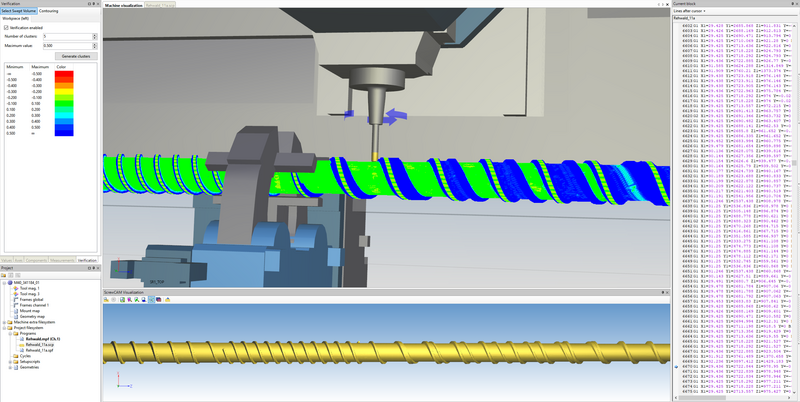
The Verification window provides functions for analysing the simulated workpiece geometry. Undersized or oversized dimensions can be detected using a geometric comparison in relation to a target geometry (in STL or BVP format).
Remove flying material (VML):
This function enables material that is removed during cutting, for example, to now also be removed while using the VML.
Parallel projection (VML):
The parallel projection can now also be activated via the symbol while using the VML. Performance during material removal calculation has also been improved with VML.
Material removal simulation (VML):
Product version 3.0 of CrashGuard Studio now features a new material removal simulation based on the Virtual Modeling Library (VML). This enables quicker simulation with greater accuracy.
3D mouse support:
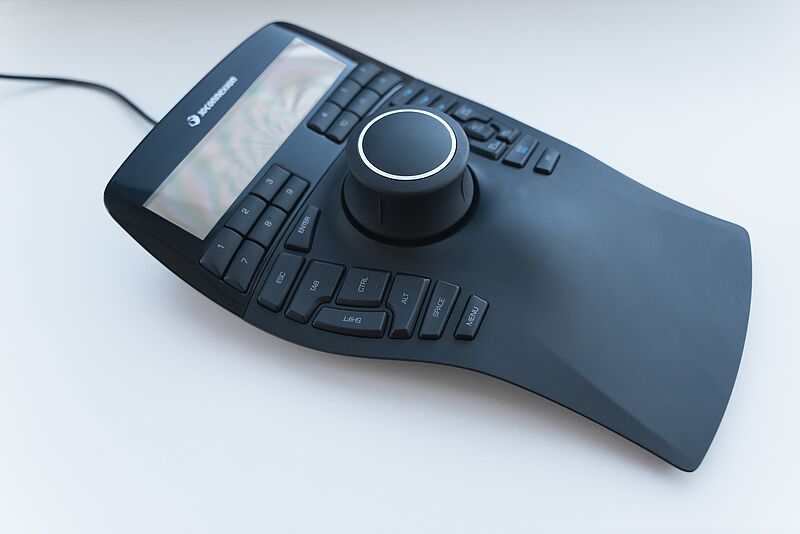
3D mouse support enables more ergonomic and efficient working within the workpiece and machine visualisation system.
CrashGuard Studio is the ideal extension to all CAD/CAM software as well as the WFL CrashGuard collision prevention software. The material removal simulation enables 3D geometries of workpieces in any machining state to be exported. Data relating to the workpieces, tools and clamping devices can be transferred in any format.
ScrewCAM screw programming - the new plug-in in CrashGuard Studio:
Geometric functions:
- Single- or multi-flighted channels
- Changeable depth
- Any change in pitch
- Wall shaping that can be defined in a cross-section by a radius to the channel base and a wall inclination
Technological functions:
- Rough machining with automatic cut distribution and Y-offset control (turn-milling)
- Wall finishing with automatic "best fit" tool orientation and floor finishing.
- Channel base finishing
- Chamfering of barrier bar
The advantages:
- Programming is based on 2D drawings
- Preview of 3D object can be generated
- All machining steps involved in the production of a workpiece in a single piece of software
- Can be simulated in CrashGuard Studio